WHERE ?
📌 Note: This tutorial uses the dvdrental database. If you dont have the dvdrental, please go through this https://courses.parottasalna.com/database-engineering/sample-databases/dvd-rental-database
Intro
The SELECT statement returns all rows from one or more columns in a table. To retrieve rows that satisfy a specified condition, you use a WHERE clause.
The syntax of the PostgreSQL WHERE clause is as follows
SELECT select_list FROM table_name WHERE condition;
In this syntax, you place the WHERE clause right after the FROM clause of the SELECT statement.
The WHERE clause uses the condition to filter the rows returned from the SELECT clause. The condition is a boolean expression that evaluates to true, false, or unknown. The query returns only rows that satisfy the condition in the WHERE clause. In other words, the query will include only rows that cause the condition evaluates to true in the result set.
⚠️ Warning: If you are using the column aliases , you can’t use them in the Query.
To form the condition in the WHERE clause, you use comparison and logical operators
Operator |
Description |
|---|---|
= |
Equal |
> |
Greater than |
< |
Less than |
>= |
Greater than or equal |
<= |
Less than or equal |
<> or != |
Not equal |
AND |
Logical operator AND |
OR |
Logical operator OR |
IN |
Return true if a value matches any value in a list |
BETWEEN |
Return true if a value is between a range of values |
LIKE |
Return true if a value matches a pattern |
IS NULL |
Return true if a value is NULL |
NOT |
Negate the result of other operators |
Using WHERE clause with the equal (=) operator example
The following statement uses the WHERE clause to find customers with the first name is Jamie,
SELECT first_name, last_name FROM customer WHERE first_name = 'Jamie';

Using the WHERE clause with the AND operator example
The following example uses a WHERE clause with the AND logical operator to find customers whose first name and last names are Linda and Williams
SELECT first_name, last_name FROM customer WHERE first_name = 'Linda' AND last_name = 'Williams';

Using the WHERE clause with the OR operator example
The following example uses a WHERE clause with an OR operator to find the customers whose last name is Rice or first name is Linda.
SELECT first_name, last_name FROM customer WHERE last_name = 'Rice' OR first_name = 'Linda';

Using the WHERE clause with the IN operator example
If you want to find a value in a list of values, you can use the IN operator.
The following example uses the WHERE clause with the IN operator to find the customers with first names in the list Ann, Anne, and Annie
SELECT first_name, last_name
FROM customer
WHERE first_name IN ('Ann', 'Anne', 'Annie');

Using the WHERE clause with the LIKE operator example
To find a string that matches a specified pattern, you use the LIKE operator.
The following example uses the LIKE operator in the WHERE clause to find customers whose first names start with the word Ann.
SELECT first_name, last_name
FROM customer
WHERE first_name
LIKE 'Ann%';

The % is called a wildcard that matches any string. The 'Ann%' pattern matches any strings that start with 'Ann'.
Using the WHERE clause with the BETWEEN operator example
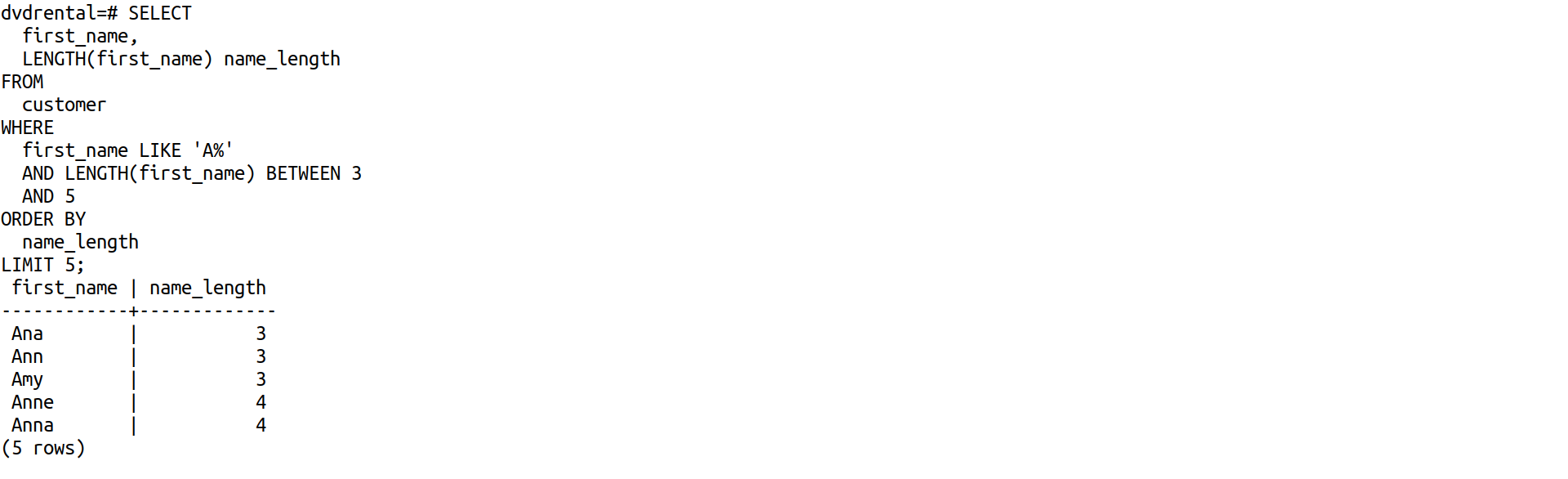
The following example finds customers whose first names start with the letter A and contains 3 to 5 characters by using the BETWEEN operator.
The BETWEEN operator returns true if a value is in a range of values.
SELECT
  first_name,
  LENGTH(first_name) name_length
FROM
  customer
WHERE
  first_name LIKE 'A%'
  AND LENGTH(first_name) BETWEEN 3
  AND 5
ORDER BY
  name_length
LIMIT 5;
Using the WHERE clause with the not equal operator (<>) example
This example finds customers whose first names start with Linda and last names are not Motley
SELECT
  first_name,
  last_name
FROM
  customer
WHERE
  first_name LIKE 'Linda%'
  AND last_name <> 'Motley';
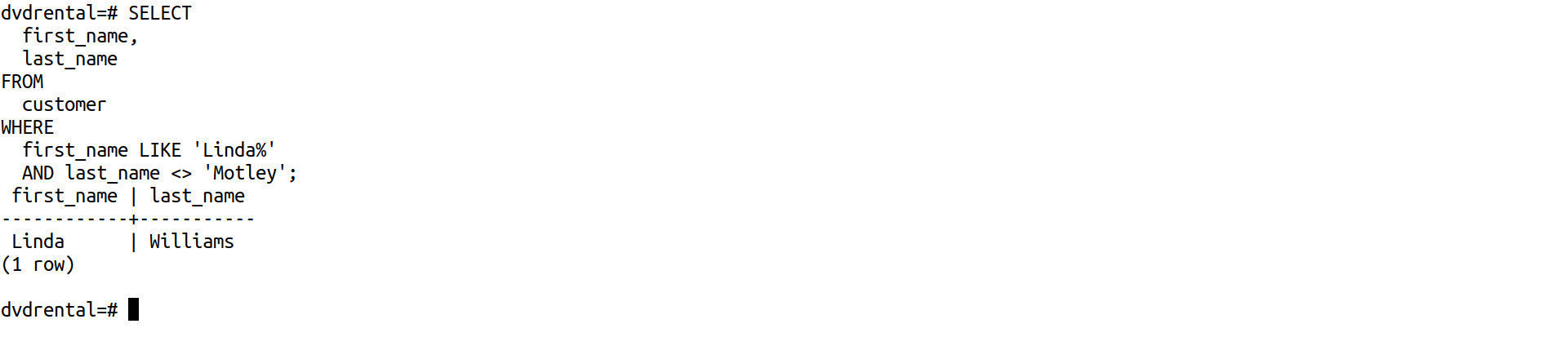
Note that you can use the != operator and <> operator interchangeably because they are equivalent.